Learn to read music by playing it.
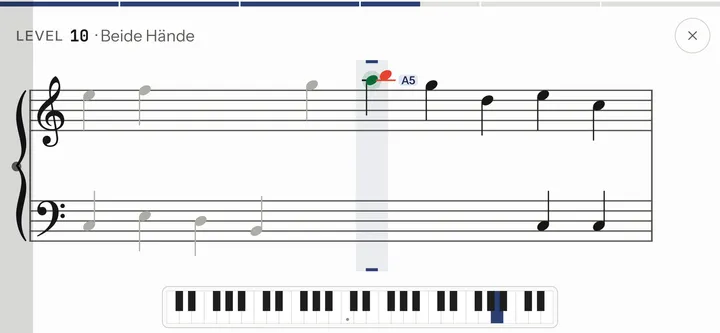
Melodies with both hands, on your own digital piano. For Android, via USB or Bluetooth MIDI.
What Stavewise does
| What you read | melodies with a cadence |
|---|---|
| Staff | grand staff from day one |
| How you answer | on your digital piano, via MIDI |
| Paying | once, no subscription |
What it looks like
Two ways to your piano
With a USB cable most pianos
- Find the “USB to Host” port on the piano, usually square (type B).
- A USB-B to USB-C cable, or a USB-A cable with an OTG adapter. Charge-only cables don’t work.
- Switch the piano on. It shows up by itself.
With Bluetooth MIDI e.g. Roland, Kawai
- Turn on Bluetooth on the piano.
- Don’t pair it in Android’s settings: Stavewise finds the piano itself.
- Tap the piano in the list.
Levels 1 to 9 are free. The full version with all 65 levels and the sandbox is a one-time purchase in Google Play: no subscription, no ads.
Full version for free
If you teach, write to support@stavewise.app; you’ll get a code.
Questions
Will my piano work?
If it has a “USB to Host” port or Bluetooth MIDI, very likely. For USB you also need an OTG adapter for your phone or tablet. An acoustic piano won’t work.
More Connect a digital piano to Android Which cable: USB to Host and OTG
What does Stavewise cost?
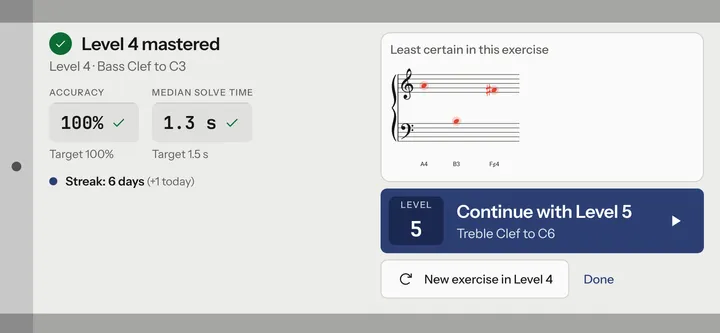
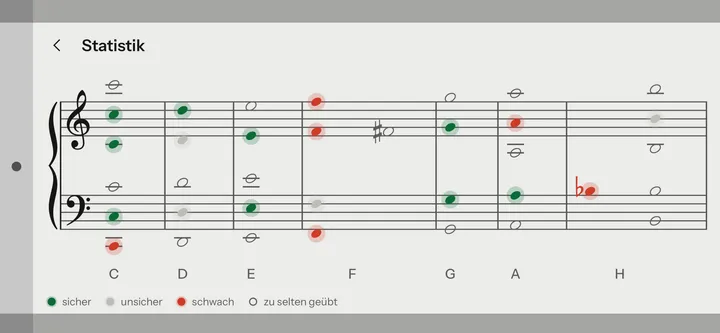
Levels 1 to 9 are free, and so are statistics, streak and reminders. The full version is a one-time purchase in Google Play. No subscription, no ads.
Do I need an account or internet?
No. Stavewise works offline, needs no account and sends nothing to us.
Which devices?
Android phones and tablets running Android 12 or newer. You hold the phone in landscape, the tablet either way.
Is there Stavewise for iPhone?
No, only for Android.